How to Set Up a MIG Welder: Step-by-Step Guide
Quick answer
A MIG welder setup starts with matching wire, gas, polarity, drive-roll tension, voltage, and wire speed to the base metal. Test on scrap before welding the workpiece because chart settings are only a starting point.
Common questions
- What causes MIG wire to birdnest?
- Common causes include too much drive-roll tension, a kinked liner, wrong contact tip size, restricted gun cable, or burnback at the tip. Fix feeding before changing weld settings.
- How should MIG settings be tuned?
- Start with the machine chart, weld scrap of the same thickness, then adjust wire speed and voltage until the arc is stable with proper penetration and bead shape.
Source note: Reviewed July 2026 against the article guidance and common welding safety practice; material specifications, procedure requirements, and shop safety rules control final settings.
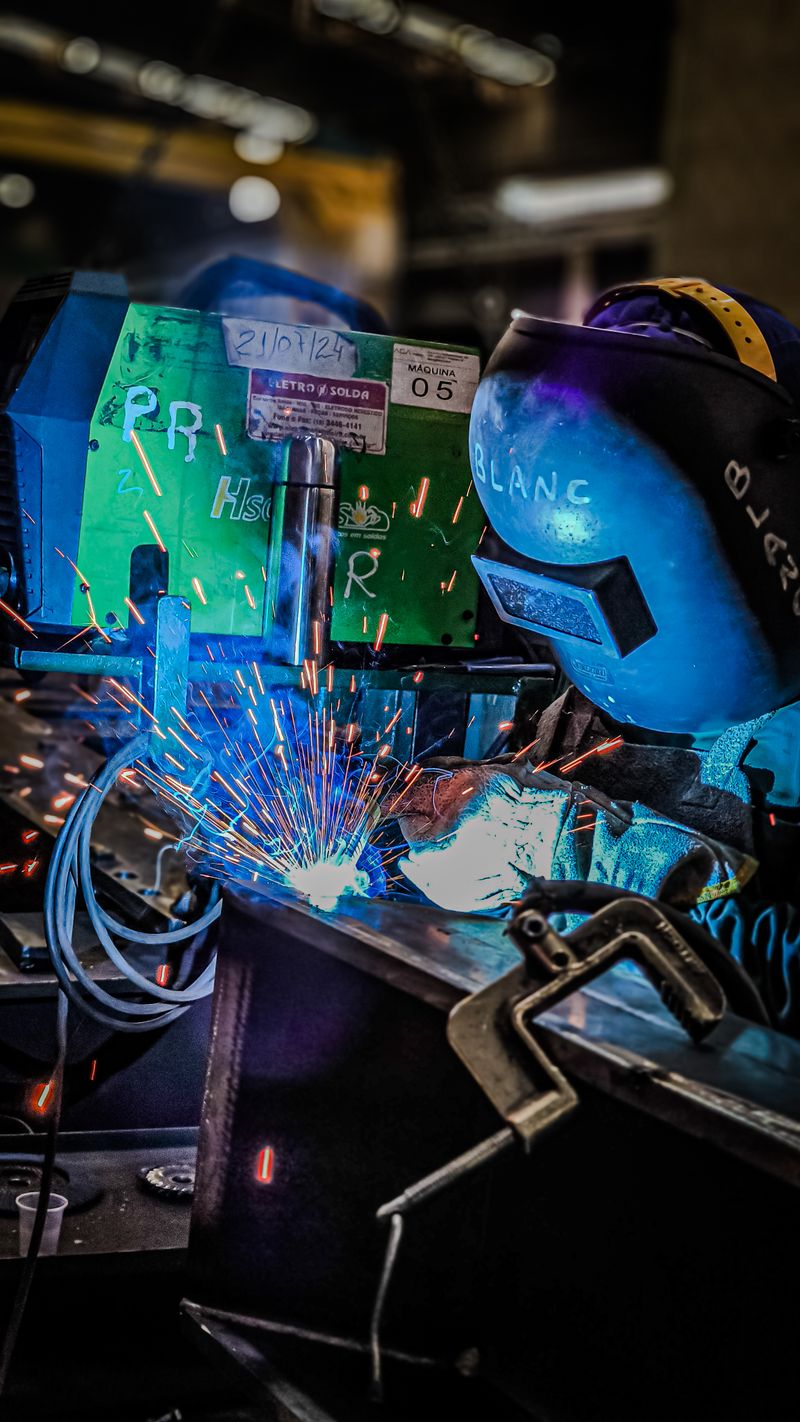
How to Set Up a MIG Welder: Step-by-Step Guide
Setting up a MIG welder correctly is the foundation for producing clean, strong welds. A misconfigured machine leads to poor penetration, excessive spatter, and frustrating results — especially for beginners. This guide walks you through every step, from installing the wire to tuning your settings for the perfect weld.
What You Will Need
Before starting, gather these essentials:
- MIG welder (gas-shielded or flux-cored capable)
- Welding wire (match to your base metal)
- Shielding gas cylinder (75/25 Argon/CO2 for mild steel)
- Wire cutters or side cutters
- Welding gloves and helmet
- Clean scrap metal for test welds
If you need a reliable machine to start with, the Hobart Handler 210MVP is a proven choice that handles both 115V and 230V power.
Step 1: Install the Wire Spool
Start by opening the wire feed compartment on your welder. Follow these steps:
- Release the tension arm on the spool holder and remove any existing spool.
- Slide the new wire spool onto the spindle. The wire should unwind from the bottom of the spool, feeding toward the drive rolls.
- Secure the spool with the retaining nut or clip so it cannot slide off during operation.
- Snip the wire that was taped to the spool, being careful not to let it uncoil and tangle.
Make sure you are using the correct wire type for your project. ER70S-6 is the standard solid wire for mild steel. For aluminum, use ER4043 or ER5356 with a spool gun.
Step 2: Feed the Wire Through the Drive System
This is where many beginners run into trouble. Proper wire feeding prevents bird-nesting and inconsistent arcs.
- Check the drive roll size — Your drive rolls must match your wire diameter. Most MIG welders use 0.030-inch or 0.035-inch wire. Using the wrong groove causes slipping or crushing.
- Thread the wire — Insert the wire into the inlet guide tube, over the drive roll, and into the outlet tube leading to the liner. Keep the wire straight and avoid kinks.
- Set the drive roll tension — Follow the welder manual’s feed test and use only enough pressure to prevent slipping. Keep hands clear of the wire and point the gun away from people and conductive objects whenever the feeder is energized; excess pressure can crush wire into the liner.
- Trim excess wire to about 1/4 inch past the contact tip using your wire cutters.
If a correctly routed setup still slips, surges, burns back, or forms a tangle beside the rolls, follow the MIG wire-feed troubleshooting sequence from spool brake to contact tip instead of adding tension at random.
Step 3: Connect the Shielding Gas
Shielding gas protects the molten weld pool from atmospheric contamination, preventing porosity and weak welds.
- Secure the gas cylinder to your welder cart or a wall bracket using a chain or strap. Never leave a cylinder standing unsecured.
- Install the regulator — Remove the cylinder cap, crack the valve open briefly to blow out debris, then thread the regulator onto the cylinder valve. Tighten with a wrench.
- Connect the gas hose from the regulator to the back of your welder.
- Set the flow rate — Open the cylinder valve slowly, then adjust the regulator to 20-25 cubic feet per hour (CFH). Too much gas wastes money; too little causes porous welds.
For mild steel, a 75% Argon / 25% CO2 blend (commonly called C25) produces the best results. Pure CO2 is cheaper but creates more spatter.
Step 4: Set Voltage and Wire Feed Speed
Voltage and wire feed speed (WFS) are the two primary controls on any MIG welder. They must be balanced for your material thickness.
Starting Settings for Mild Steel
| Material Thickness | Wire Diameter | Voltage | Wire Feed Speed |
|---|---|---|---|
| 18 gauge (0.048”) | 0.030” | 15-16V | 130-150 ipm |
| 16 gauge (0.060”) | 0.030” | 16-17V | 150-170 ipm |
| 1/8” | 0.030” | 17-18V | 170-200 ipm |
| 3/16” | 0.035” | 18-19V | 180-220 ipm |
| 1/4” | 0.035” | 19-21V | 220-280 ipm |
These are starting points. Always test on scrap metal and adjust from there.
How to Fine-Tune Your Settings
- If the weld sounds like frying bacon — You are in the right range for short-circuit transfer.
- If the wire is stubbing or pushing back — Increase voltage or decrease WFS.
- If the arc is violent with excessive spatter — Decrease voltage or increase WFS slightly.
- If the bead is tall and narrow — Increase voltage to flatten the profile.
Step 5: Set the Polarity
For solid wire with shielding gas, your welder must be set to DCEP (Direct Current Electrode Positive), also called reverse polarity. This means the wire is positive and the work clamp is negative.
If you are running flux-cored wire (FCAW), switch to DCEN (Direct Current Electrode Negative) or straight polarity. Check your wire manufacturer’s recommendation, as some self-shielded flux-cored wires require DCEN.
Most machines have a quick-change polarity terminal inside the wire compartment. Loosen the nuts, swap the cables, and retighten.
Step 6: Prepare the Workpiece and Ground Clamp
A clean workpiece and a solid ground connection are non-negotiable for quality MIG welds.
- Remove paint, rust, oil, and mill scale from the weld area using a grinder or wire wheel. MIG welding is sensitive to contamination.
- Clamp your ground to clean, bare metal as close to the weld joint as possible. A poor ground causes erratic arcs and inconsistent penetration.
- Fit and tack the joint before running a full weld bead. This prevents distortion and keeps gaps consistent.
A good magnetic ground clamp can make grounding easier on irregular surfaces.
Step 7: Practice on Scrap Metal
Before welding your actual project, run several practice beads on scrap of the same thickness. Pay attention to:
- Travel speed — Move at a pace that keeps the weld pool about 1/4 to 3/8 inch wide. Too fast and the bead is thin and ropey. Too slow and you risk burn-through.
- Gun angle — Hold the MIG gun at a 10-15 degree push angle (tilted in the direction of travel) for better gas coverage.
- Stick-out — Maintain 1/4 to 3/8 inch of wire between the contact tip and the workpiece. Too much stick-out reduces arc stability.
- Contact tip to work distance (CTWD) — Keep this consistent for uniform welds.
Troubleshooting Common Setup Issues
| Problem | Likely Cause | Solution |
|---|---|---|
| Wire bird-nests at drive rolls | Drive tension too loose or liner worn | Tighten tension; replace liner |
| Porous weld with holes | Insufficient gas flow or leak | Check flow rate; inspect hoses |
| Excessive spatter | Voltage too low or wrong gas | Increase voltage; verify C25 blend |
| Burn-through on thin metal | Voltage too high | Lower voltage; use tack welds |
| Wire feeds but no arc | Bad ground connection | Clean ground point; check clamp |
Routine Maintenance Tips
A well-maintained MIG welder runs better and lasts longer. After every few hours of welding:
- Trim 1/2 inch of wire to expose a fresh tip.
- Clean spatter from the nozzle and contact tip with nozzle gel.
- Check the liner for wear and replace it if wire feeding becomes erratic.
- Inspect gas hoses for leaks using a soapy water solution.
- Wipe down the drive rolls and remove any dust or wire debris.
Final Thoughts
Setting up a MIG welder takes patience, but doing it right from the start saves hours of frustration. Once your machine is dialed in, MIG welding becomes one of the most efficient and enjoyable processes to use. Take the time to practice, adjust, and refine your settings on scrap metal before moving to your actual project.
Related Articles
Your shielding gas choice has a major impact on how a MIG welder performs after setup — the understanding welding shielding gases guide explains why C25 (75/25 argon/CO₂) is the standard for mild steel and how gas selection affects spatter, penetration, and transfer mode. Once your machine is running, understanding common defects will help you interpret what your welds are telling you — the common welding defects and how to fix them guide maps symptoms like porosity and undercut back to specific setup issues. If you are deciding whether MIG is the right process for your work, the MIG vs TIG vs stick welding comparison breaks down the tradeoffs across all three main processes.
Set up the machine around the wire and shielding plan
Use these resources to connect MIG setup with wire type, gas choice, defects, and consumable care.
- Flux-cored vs. solid wire
Choose the wire and polarity before dialing voltage and wire feed.
- Understanding shielding gases
Pick the gas mix and flow range that match the process.
- Welding equipment maintenance
Clean liners, tips, nozzles, drive rolls, and leads before blaming settings.
- Welding equipment maintenance log
Keep machine condition, consumables, gas, and PPE notes tied to each setup session.

The Welder's Guide Editorial Team
Independent trade-focused editorial team